Unpretentious automation using justfile
Posted on zo 11 oktober 2026 in 2026
There are one-off shell commands, there are shell script that you run, comment and rerun. And there is proper automation. Repeatable, visible, tested. A nice CI/CD pipeline using your technology of choice, all with test cases, secrets management, maybe alerting. The works.
But last year I came across something that now nicely sits in between for me. It is more structered than searching my own bash history or locating the one-off shell script that I could use again. But it is also a lot easier to start using and test then a proper pipelined automation.
Just, with a justfile, fills that gap for me. I think it started as a simpler alternative to Makefile, all built in rust. For cases where you have stuff that needs to run on a regular basis, but is not in any way 'production grade' yet, having a justfile in the project saves you from remembering all the details in proces. All without having to go trough the effort of properly pipelining it.
Things I put in a justfile, might end up in the pipeline eventually. But for me it fills the gap between not reproducible at all and 100% automated.
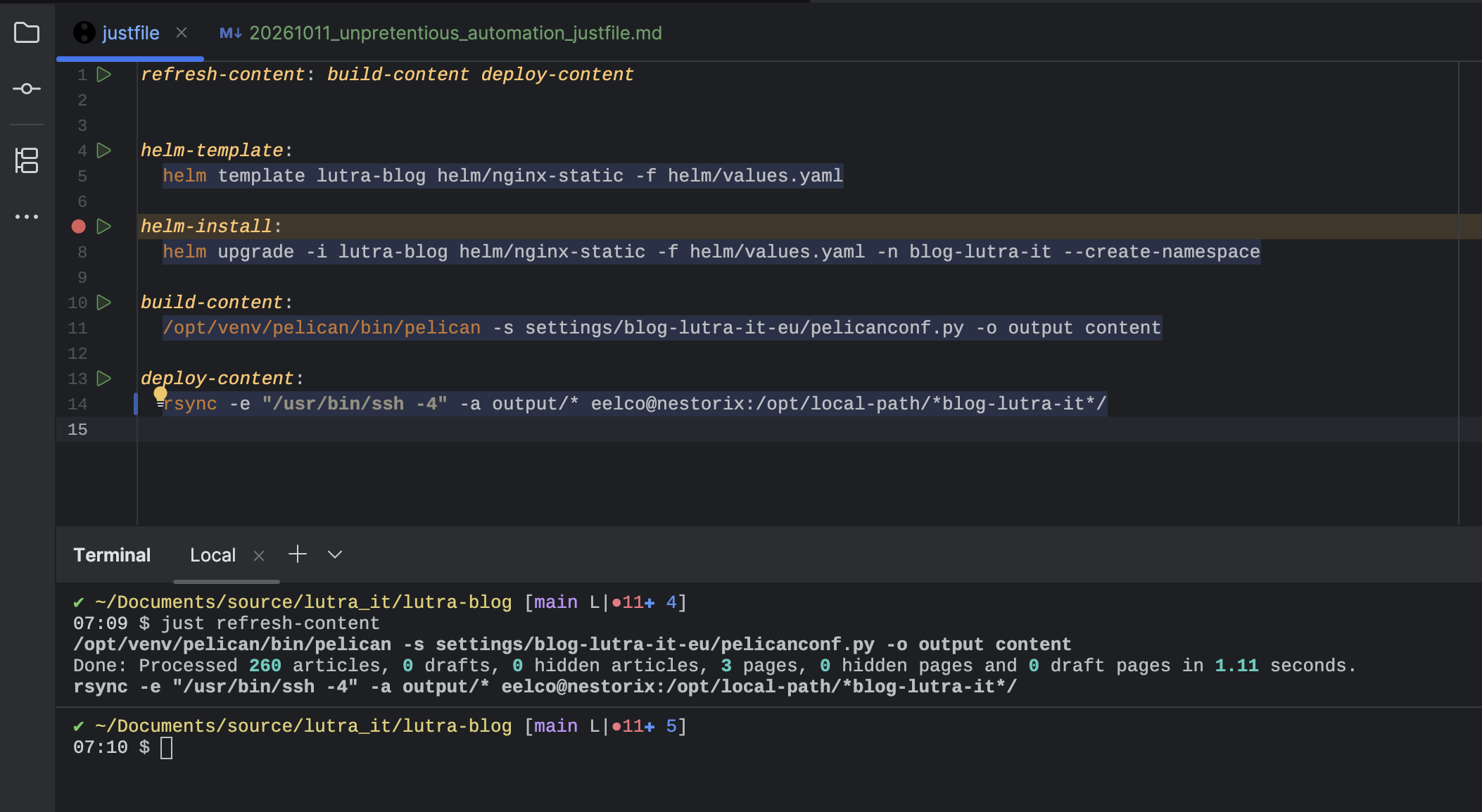
As an example, the justfile I have for this blog right now. Just a couple of blocks with commands to deploy a container, build the static website and copy the content. But also a way to combine multiple steps to a singe block/command. And to run a block, I just click the 'play' button in my IDE or use it commandline: just [blockname]
The same thing as text for people unable to use screenshots:
refresh-content: build-content deploy-content


helm-template:
  helm template lutra-blog helm/nginx-static -f helm/values.yaml

helm-install:
  helm upgrade -i lutra-blog helm/nginx-static -f helm/values.yaml -n blog-lutra-it --create-namespace

build-content:
  /opt/venv/pelican/bin/pelican -s settings/blog-lutra-it-eu/pelicanconf.py -o output content

deploy-content:
  rsync -e "/usr/bin/ssh -4" -a output/* eelco@nestorix:/opt/local-path/*blog-lutra-it*/
You can get just at https://github.com/casey/just or using the package manager of your platform. CC licensed, nice!